


Stable IPTV streams during major sports events: peak-load handling
This page explains why IPTV streams can fail during peak sports events and outlines the technical measures providers use to handle load, plus criteria to evaluate stability before choosing a service.
VenneTV has been active since 2018 and focuses on infrastructure choices that reduce buffering under load, including multi-source routing, sensible bitrate ladders, and operational monitoring during match windows. We also publish practical checks for end users—device decoding headroom, wired vs. Wi‑Fi performance, and DNS/player settings—that measurably affect playback stability.
On this page you’ll learn what “peak-load handling” means in practice and which selection criteria indicate smoother streams during high-demand fixtures.
Why streams fail during Bundesliga conference or a final
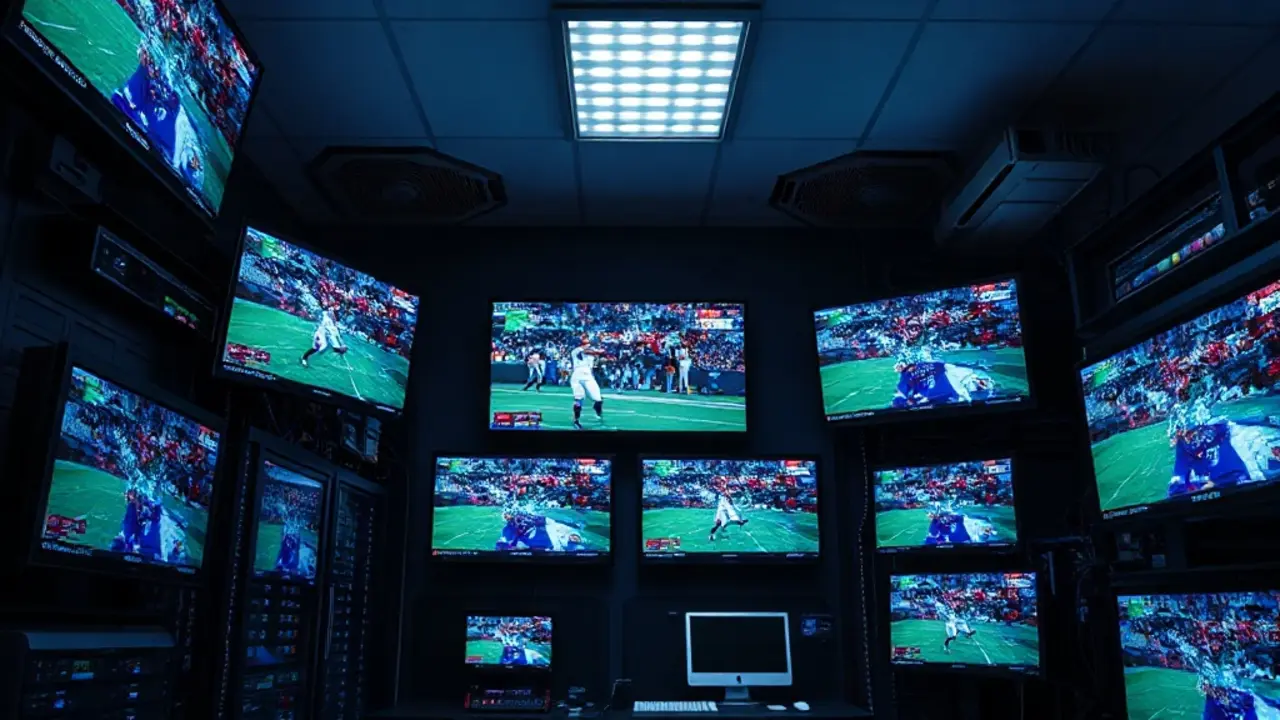
Peak events create a different problem than normal prime time: thousands of viewers start the same channels nearly at once. If a provider’s platform is not engineered for that concurrency jump, you may see buffering, sudden drops, or lower quality. The main failure points are typically:
- Origin overload: the upstream ingest/origin cannot serve enough concurrent sessions, causing timeouts and reconnect loops.
- Insufficient edge capacity: without enough CDN/edge nodes, traffic concentrates on a few locations, raising latency and packet loss.
- Transport mismatch: HLS is resilient but can add delay; UDP-based methods can be low-latency but require more careful network paths and error handling.
- Application bottlenecks: overloaded authentication, API calls for EPG, or playlist retrieval can make apps appear “down” even if streams exist.
- Local network issues: Wi‑Fi interference, overloaded router CPU, or poor DNS can mimic provider-side instability.
For the user, a key point is that “my internet is 250 Mbps” does not guarantee stability. Streaming is sensitive to latency, jitter, and loss, especially when many parallel flows compete (home Wi‑Fi, downloads, game consoles). For providers, the goal is consistent delivery under worst-case demand, not just average throughput.
How providers handle peak loads: capacity, redundancy, monitoring
Stable IPTV under peak demand is mainly an engineering discipline: build headroom, remove single points of failure, and detect issues early. A provider that performs well during finals usually implements multiple layers of resilience:
- Horizontal scaling: adding more streaming nodes and load balancers so concurrency can grow without saturating a single server.
- Geographic distribution: placing edge resources closer to viewers to reduce latency and avoid cross-region congestion.
- Redundant ingest and origins: multiple input paths and backup origins so a single upstream failure does not take channels offline.
- Automated failover: health checks that route viewers away from degraded nodes within seconds.
- Observability: real-time metrics (startup time, rebuffer ratio, error rates) and alerting for rapid remediation.
- Rate limiting & caching: protecting authentication and EPG APIs; caching EPG and logos to keep apps responsive.
In practice, “peak-ready” also means operational readiness: change freezes before major matches, on-call coverage, and documented runbooks. At VenneTV we focus on consistent availability across large catalog size (7000+ live channels, 18000+ movies) and we’ve operated stably since 2018, which requires ongoing capacity planning and monitoring rather than one-time setup.
Protocols & players: HLS vs. alternatives, buffering and latency trade-offs
Two streams can show the same match but behave very differently depending on the delivery protocol and player behavior. The core trade-off is often latency vs. resilience:
- HLS (HTTP Live Streaming): widely compatible (Smart TVs, mobile, many boxes). It tolerates network fluctuations by switching quality, but segment-based delivery can add delay. Stability is typically strong when CDN capacity is sufficient.
- MPEG-TS over HTTP: simple and compatible with many players, but can be less adaptive under fluctuating bandwidth.
- Low-latency variants: can reduce delay but demand tighter network conditions and better server-side tuning to avoid stalls.
Player configuration matters as well. A larger buffer can prevent micro-stutters during congested moments, but it increases delay. A smaller buffer can feel “live” but may rebuffer more if Wi‑Fi jitters. Practical stability levers on the user side include:
- Wired Ethernet where possible, especially for decisive matches.
- Quality selection: forcing a stable 1080p stream may be better than constant switching.
- DNS reliability: using a stable resolver can reduce delays during channel start.
- Device performance: older sticks may struggle with decoding or background apps.
When comparing providers, ask whether they support the devices and players you actually use, and whether their streams remain consistent when you switch between multiple match feeds (conference-style viewing).
Provider selection criteria for peak-event stability (practical checklist)
Marketing claims are easy; stability is measurable. When selecting an IPTV provider with major sports events in mind, focus on criteria that correlate with real peak performance:
- Trial under realistic conditions: test during a high-demand time window (weekend evening) and check startup time, buffering frequency, and channel switching speed.
- Multiple channel options: for conference-style viewing, the ability to switch quickly between feeds matters more than maximum channel count.
- Device compatibility: verify your intended setup (Smart TV app, Android box, Fire TV, mobile) and whether the provider supports reliable playback methods (e.g., M3U with a proven player).
- Support responsiveness: during events, fast troubleshooting guidance (player settings, DNS, server selection) can be the difference between watching and missing key minutes.
- Transparent operations: clear instructions for setup, recommended players, and known best practices are often a sign of a mature service.
Also consider your home environment: if multiple people stream at once, ensure your router and Wi‑Fi can handle it. For peak events, Ethernet + a stable device tends to outperform “fast Wi‑Fi” setups. A provider that helps you validate these basics typically reduces avoidable support loops. At VenneTV we keep the process straightforward: stable service since 2018, a large catalog (7000+ live channels, 18000+ movies), and guidance aimed at consistent playback rather than complicated tweaks.
How to test stability before the next big match (simple, repeatable method)
A structured test gives you more insight than “it worked once.” Use a repeatable routine so you can compare providers or configurations objectively:
- Pre-test setup: reboot router and device, close background apps, and prefer Ethernet if available.
- Startup timing: measure time from channel click to first stable picture (do this 5–10 times across different channels).
- Switching stress test: switch between 6–10 channels quickly (conference scenario). Note any freezes, audio desync, or login delays.
- 30–60 minute soak test: keep a sports channel running; track buffering events and quality drops.
- Peak-window check: repeat during a known high-demand period (Saturday evening). Even if it’s not a final, it reveals capacity behavior.
- Network sanity checks: run a ping test to your router and to a public host; high jitter on Wi‑Fi often explains “random” stutters.
If you see issues, isolate the cause: test the same stream on a second device, switch from Wi‑Fi to Ethernet, or try a different player configuration. If stability improves significantly with a single change, the bottleneck is likely local. If it remains unstable across devices and networks, provider-side capacity or routing is more plausible. The best time to discover this is before the match, not at kickoff.